













Guest registration at company events. How to let a thousand families in without a queue

Guest registration at a company event works well when every desk works from one clean list, and the person at the entrance can find a guest in a few seconds and knows what to hand them. Queues almost always come down to three things. Messy sign-up data, a shared spreadsheet open on several computers and no plan for when something fails.
We explain this using the check-in system we built for the Wielton Family Picnic in June 2026. More than a thousand employees signed up, and with plus-ones and children, several thousand people came.
Why is a shared Excel file not enough for a large event?
A spreadsheet works for a few dozen guests and one desk. With several desks running at once, problems start that you do not see at the planning stage.
- Two people edit the same file. Changes overwrite each other, and a guest ticked off at one gate is still marked as absent at another.
- Search gets it wrong. An employee gives their surname without Polish diacritics, with a typo, or gives the name of their plus-one.
- Staff see too much. Every guest's phone number and email address is on every volunteer's screen, which conflicts with GDPR.
- Nobody knows how many people are already in. The organiser phones round the desks to count attendance.
Getting sign-ups in order before the event
Most of the check-in work happens before the day itself. The file from Wielton's sign-up form contained 125 duplicate registrations, families registered under one employee card number and children entered in a single cell. Had that file gone to the desks unprocessed, every one of those entries would have held up the queue.
So on import, the app found the right sheet and columns by itself, merged duplicates and split children into separate entries. Importing again after late registrations had been added did not duplicate any guests.
What should a check-in desk look like?
The person at the entrance has three jobs. They find the guest, check who came with them and hand out the right wristbands. Every extra click is seconds multiplied by thousands of people.
- Search. By surname typed without Polish diacritics, by plus-one, and by employee card number from the scanner.
- Guest card. The employee, the plus-one and each child listed separately, with the option to add family members on the spot.
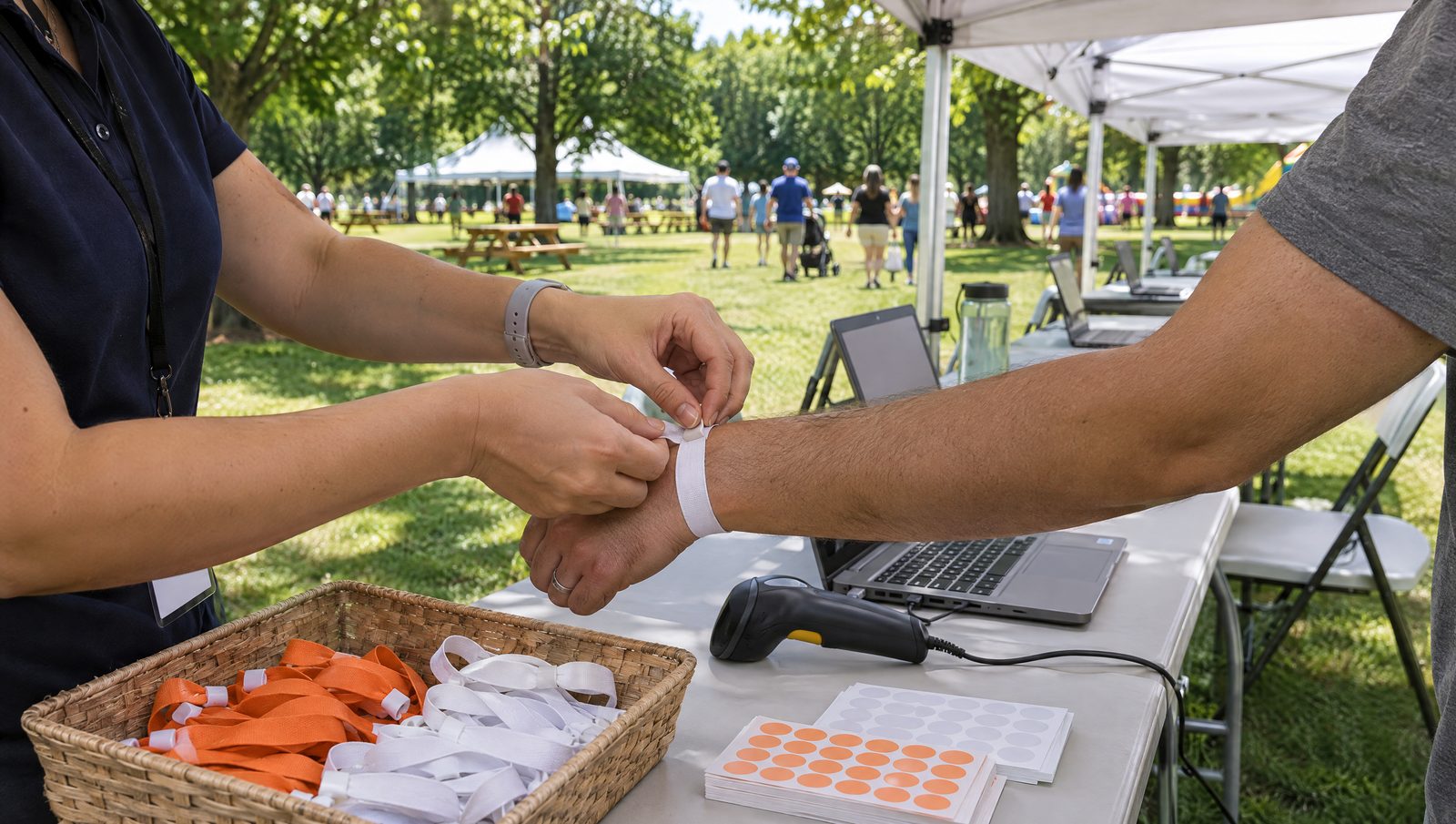
- Hand-out screen. At the Wielton Picnic there were white wristbands for adults, orange ones for children, stickers for children up to the age of 10 and VIP wristbands. The app shows how many of each to hand out.
- Only the data that is needed. Staff do not see guests' phone numbers or email addresses, while the organiser has access to the full list.
Several desks on one database
Six desks worked at once at the Wielton Picnic. Each one saw the others' changes immediately, so a guest let in at one gate was already marked as present at another. The organiser had live statistics on screen, including the number of entries, an hourly chart and an activity log showing which desk did what.
Before the event we ran 37 security tests and a trial of 100 simultaneous check-ins from six desks. A test like this is worth running with any registration system, off-the-shelf ones included, because a failure at peak arrival time is the most costly kind.
Plan B. What do you do when the internet goes down?
Signal can be weak at outdoor venues, and generators do cut out. The contingency plan should be ready before the event, not worked out during it.
- A printed guest list sorted alphabetically and by card number, one copy per desk.
- A rule for who ticks guests off by hand and how attendance is entered into the system afterwards.
- A backup router or hotspot on a different mobile network.
What happens to guest data after the event?
The sign-up list is personal data, often including data about children. After the event the organiser usually needs nothing more than an attendance report. For the Wielton check-in, the attendance export to XLSX was available as soon as the picnic ended, and we deleted guest data from the system once it was over. Agree the retention period and the scope of the data with your legal team before sign-ups open.
A smaller event follows the same rules
The launch of Agromex's rail connection had 150 guests and 25 days from contract to event. Invitations went out by SMS, phone and email, and sign-ups ran through a landing page. The scale was different but the principle was the same, with one list, clear zones (business, VIP, registration) and staff who know where to send each guest. The details are in the Agromex case.
You will find the full story of the Picnic app in the event check-in case, and if you are preparing your own event, take a look at the Event reception page or get in touch.
Frequently asked questions
How many check-in desks does a company event need?
It depends on the number of guests and whether they arrive in waves. At the Wielton Family Picnic, with several thousand people, six desks worked on one database. Plan for peak arrivals rather than total attendance, and estimate how long it takes to check in one family.
Is a Google Sheet or Excel file enough for guest registration?
For a few dozen guests and one desk, yes. With several desks at once, the spreadsheet starts overwriting changes, search gets confused by surnames typed without Polish diacritics, and every member of staff sees every guest's phone number and email address.
How do you protect guests' personal data at an event?
Entrance staff should see only what they need to let a guest in. The full list stays with the organiser. After the event, keep the attendance report and delete guest data within the period agreed before sign-ups opened.
What should you do if the internet fails at the event?
Prepare a printed guest list for every desk, rules for ticking guests off by hand and a backup connection on a different mobile network. Once the internet is back, attendance is entered into the system so that the attendance report is complete.
Co-founder, art director. Designs visual identity systems for demanding clients, with the people who will use them in mind.